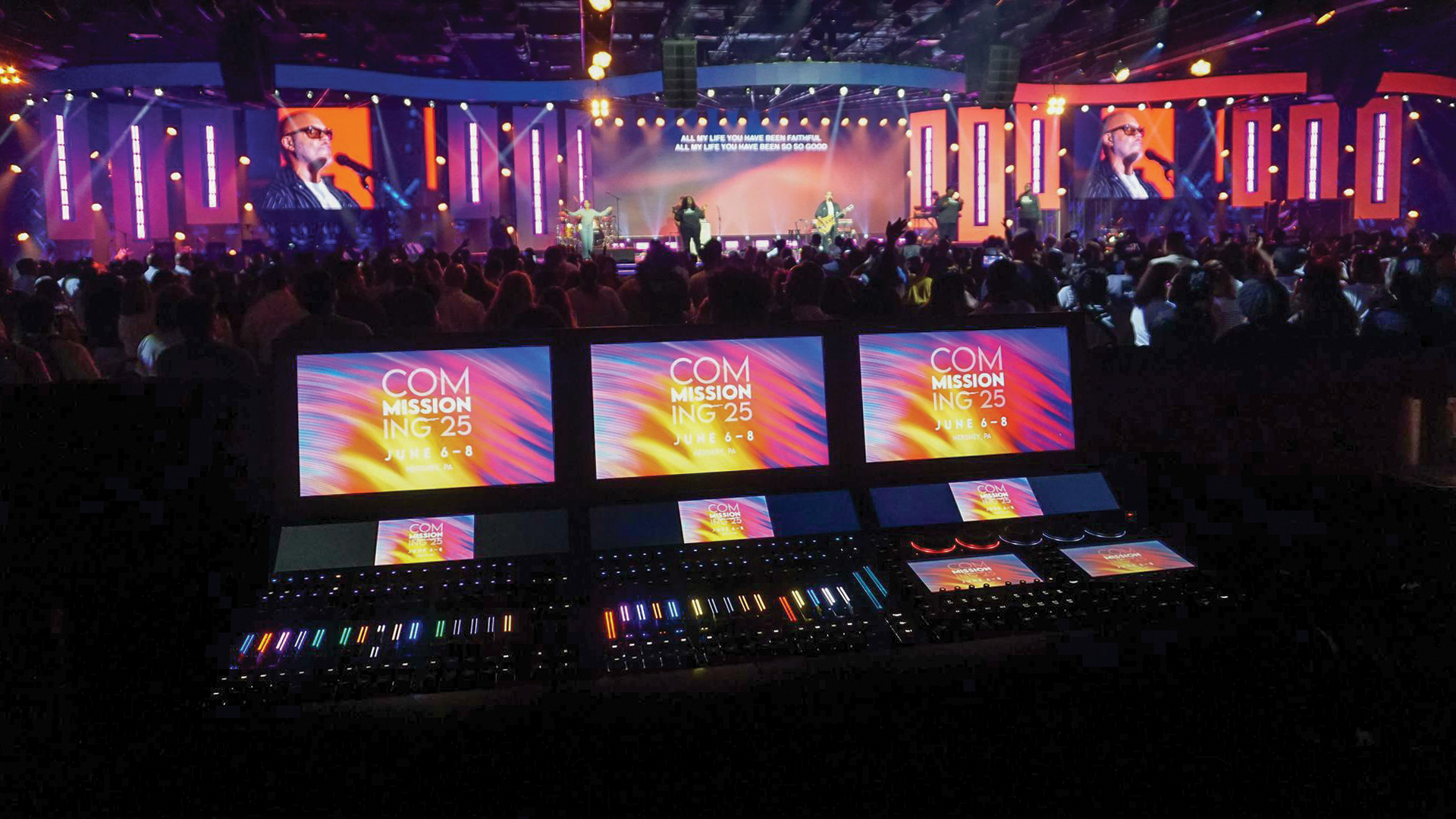
The single screen presentation has dominated corporate communication for decades one projector, one PowerPoint, one stream of information competing for audience attention. Yet cognitive science research consistently demonstrates that human information processing benefits from distributed visual inputs rather than sequential singular focus. Multi-screen layouts leverage these neurological realities, creating presentation environments where audiences absorb and retain substantially more information than traditional single-surface approaches permit.
The Cognitive Science Behind Multiple Screens
Human visual processing operates through parallel pathways capable of monitoring multiple information sources simultaneously. The brain’s attentional spotlight model once thought to limit focus to single sources—has given way to understanding that attention distributes across visual fields, with peripheral awareness feeding contextual information to conscious processing. Multi-screen environments exploit this architecture by presenting complementary content streams that reinforce rather than compete with primary messaging.
Research from MIT’s Media Lab demonstrated that audiences exposed to spatially distributed information showed retention improvements of 20 to 35 percent compared to sequential presentation of identical content. The spatial distribution creates mnemonic anchoring—viewers remember not just content but location, with recall triggered by mental reference to screen positions. This spatial memory encoding operates below conscious awareness, providing retention benefits even when audiences don’t consciously track multiple screens.
Content Architecture for Distributed Displays
Effective multi-screen implementation requires content architecture fundamentally different from single-screen presentation design. Rather than sequencing all information through one surface, designers must determine which content streams benefit from simultaneous display, which require temporal sequencing, and how primary and supporting information relate across screen real estate.
The classic configuration positions primary presentation content on a center screen with supporting data on flanking displays. A corporate earnings presentation might show speaker video and core messaging centrally, with live stock ticker on one side and relevant financial charts on the other. Presentation software including Microsoft PowerPoint 365 now supports multi-screen output natively, while dedicated presentation systems like Prezi Video build spatial content relationships into their core functionality.
Technical Infrastructure: Routing and Synchronization
Multi-screen installations demand video routing infrastructure that scales with display count and resolution requirements. Matrix switchers from Extron and Crestron route multiple sources to multiple destinations with frame-accurate synchronization essential for content spanning screens. The Extron DXP series handles up to 64 inputs and outputs at 4K resolution, providing flexibility for complex installations where source assignments shift throughout events.
Content that spans multiple screens—wide panoramas or integrated data visualizations—requires genlock synchronization preventing visible tearing at screen boundaries. AJA FS-HDR frame synchronizers lock disparate video sources to common timing references, while media servers like Disguise and Resolume Arena manage multi-output synchronized playback from unified content timelines. Professional installations specify dedicated synchronization hardware rather than relying on software timing that proves unreliable under production stress.
Display Technology Selection for Multi-Screen Arrays
Matching display technology characteristics across multi-screen installations proves more challenging than selecting individual units. Color temperature, gamma response, and brightness must match precisely—variations visible in side-by-side comparison destroy the seamless integration that makes multi-screen configurations effective. Professional installations specify displays from identical manufacturing batches when possible, or plan calibration time to align characteristics across different units.
LED walls offer inherent advantages for multi-screen deployments. Products like Samsung The Wall or LG MAGNIT provide seamless expansion—adding screens means adding modules rather than managing discrete display boundaries. Traditional LCD monitors from NEC MultiSync series or Sharp PN-series commercial displays cost less but create visible bezels between units that must factor into content design decisions.
Historical Evolution: From Control Rooms to Conferences
Multi-screen information display originated in mission-critical environments where distributed monitoring enabled faster response to complex situations. NASA’s Mission Control Center pioneered multi-display operator stations during the Apollo program, recognizing that astronaut safety demanded information architectures impossible on single screens. Military command centers and financial trading floors adopted similar approaches throughout the 1970s and 1980s.
The migration into corporate presentation environments accelerated following the 2008 financial crisis, when companies recognized that data-intensive communications demanded more sophisticated visual infrastructure. Bloomberg Terminal culture normalized multi-screen work environments, conditioning audiences to expect distributed information presentation rather than sequential single-surface delivery. Today’s corporate audiences arrive pre-conditioned for multi-screen consumption through personal device habits and workplace display configurations.
Layout Patterns That Maximize Retention
Research into effective multi-screen layouts has identified configuration patterns that optimize retention for different content types. The T-formation—one wide screen above a row of narrow screens—works effectively for presentations combining overview content with detailed supporting information. The corner wrap—screens forming an L or U shape around audiences—creates immersive environments suitable for experiential brand content where emotional impact matters more than information density.
Viewing angle considerations impact layout effectiveness significantly. Screens positioned beyond 45 degrees from center viewing position receive substantially less direct attention, making them suitable for contextual information but inappropriate for primary content. AVIXA (formerly InfoComm) standards provide guidance on optimal display positioning relative to audience seating that experienced AV designers reference during planning phases.
IMAG Integration: Bridging Scale and Intimacy
Image magnification (IMAG) represents a specific multi-screen application where retention benefits combine with accessibility improvements. Large venue presentations become ineffective when distant audience members cannot see speaker expressions and gestures—the nonverbal communication cues that reinforce verbal messaging. IMAG screens flanking stages bring speaker close-ups to every seat, maintaining the personal connection that drives message retention.
Camera selection for IMAG requires balancing image quality against operational practicality. PTZ cameras like Sony BRC-X1000 or Panasonic AW-UE150 provide remote-operated coverage suitable for predictable presentations. Dynamic events benefit from operated cameras—Sony PXW-Z280 or Canon XF705—with skilled operators tracking movement and capturing reaction shots that IMAG systems route to flanking screens.
Dynamic Content Switching and Show Control
Static multi-screen layouts underutilize the format’s potential. Effective implementations employ dynamic content switching that reconfigures screen assignments throughout presentations based on content requirements. A product launch might begin with all screens unified for dramatic video playback, split to show speaker plus data during technical specifications, then reconfigure again for Q&A with social media feeds on side screens.
Show control systems coordinate these transitions reliably. Crestron SIMPL programming handles complex multi-system coordination, triggering router presets, lighting cues, and media playback simultaneously. QLab provides accessible show control for smaller productions, while enterprise installations increasingly adopt Medialon systems for their reliability under mission-critical conditions. Pre-programmed cue sequences ensure transitions execute consistently regardless of technical operator skill levels.
Measuring Retention Improvements
Organizations investing in multi-screen infrastructure increasingly demand quantified retention metrics justifying technology expenditure. Pre and post-presentation knowledge assessments using platforms like Kahoot or Mentimeter provide comparative data between single and multi-screen implementations. Attention tracking through audience response systems or eye-tracking studies in controlled environments offers additional measurement approaches for organizations pursuing evidence-based presentation optimization.
Industry surveys from Freeman and MPI consistently report that audiences rate multi-screen presentations as more engaging and professional than single-screen alternatives. These perception metrics correlate with retention measurements—audiences perceiving presentations as more engaging invest more cognitive effort, which directly improves information encoding and subsequent recall.
Implementation Considerations for Production Teams
Transitioning from single-screen to multi-screen presentations requires workflow adaptations beyond equipment procurement. Content creators must design for distributed display from project inception rather than retrofitting single-screen materials. Operators need training on routing systems and show control platforms. Presenters require coaching on engagement techniques appropriate for environments where audience attention distributes across visual fields.
Rehearsal time requirements increase substantially for multi-screen productions. Content timing must synchronize across screens, presenter positions must account for optimal screen sightlines, and technical cues must execute reliably under live conditions. The investment in preparation pays dividends through retention improvements that single-screen presentations cannot match—audiences walk away remembering more of what they experienced, which ultimately justifies every hour of additional production preparation required to deliver effective multi-screen communication environments.
